Figma layers, straight into After Effects.
Select in Figma, press one button, keep animating. Shapes stay shapes, text stays text, nothing arrives flattened.
50 on the waitlist for 500 licences
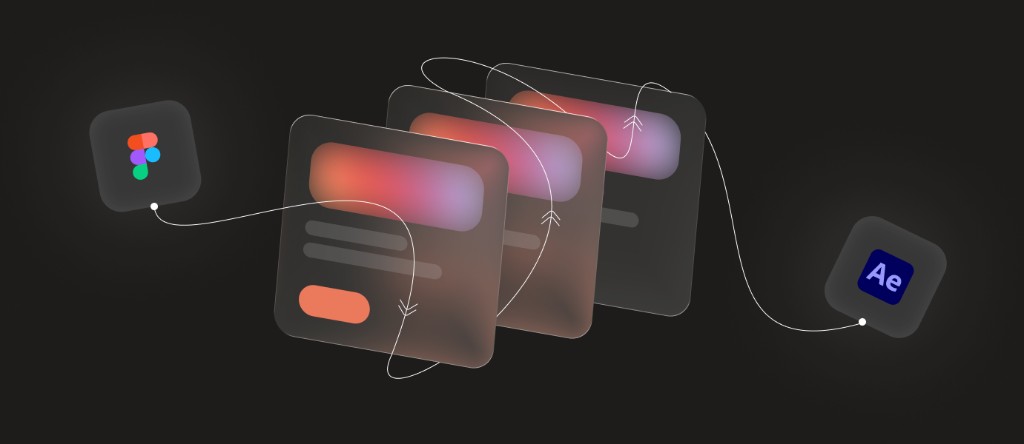
Nothing baked. Editable on arrival.
Live, not baked
Shape layers keep real paths, text keeps its font and stays retypeable, gradients and blurs stay adjustable.
Placed exactly
Rotation, flips, masks and nesting survive, and anchor points sit at each layer's centre, ready to animate.
Nothing skipped quietly
Anything that can't come across exactly is named after every transfer, so you know before you animate.
Every Figma element, and where Parcel stands on it.
| Figma | After Effects |
|---|---|
| Structure | |
| Frame | Supported |
| Group | Supported |
| Auto layout frame | Supported |
| Component and instance | Supported |
| Nested frames and clipping | Supported |
| Layer names, order and visibility | Supported |
| Opacity and blend modes | Supported |
| Rotation and flips | Supported |
| Auto layout behaviour after the transfer | Not yet |
| Shapes | |
| Rectangle, with per-corner radii | Supported |
| Ellipse, arc and ring | Supported |
| Polygon and star | Supported |
| Line and arrow | Supported |
| Vector path | Supported |
| Boolean operations | Supported |
| Icon set as one layer | Supported |
| Fills and strokes | |
| Solid fill, and several fills on one layer | Supported |
| Linear gradient | Supported |
| Radial gradient, stretched or rotated | Supported |
| Image fill | Supported |
| Stroke weight, caps, joins and dashes | Supported |
| Inside, centre and outside strokes | Supported |
| Gradient stroke | Partly |
| Several strokes on one layer | Partly |
| Angular and diamond gradients | Not yet |
| Video and animated GIF fills | Not yet |
| Text | |
| Font, size, weight and colour | Supported |
| Line height, letter spacing and alignment | Supported |
| Auto width, auto height and fixed boxes | Supported |
| Uppercase, lowercase and title case | Supported |
| Mixed styles within one text layer | Supported |
| Gradient or image filled text | Supported |
| Text stroke | Supported |
| Vertical alignment in a fixed box | Partly |
| Underline and strikethrough | Not yet |
| Bulleted and numbered lists | Not yet |
| Text on a path | Not yet |
| Variable fonts and OpenType features | Not yet |
| Effects | |
| Layer blur | Supported |
| Drop shadow | Supported |
| Mask, alpha and luminance | Supported |
| Background blur | Partly |
| Progressive blur | Partly |
| Glass | Partly |
| Drop shadow spread | Partly |
| Inner shadow | Not yet |
| Noise and texture | Not yet |
| Shader and plugin effects | Not yet |
- Supported
- Partly
- Not yet
No subscription. Pay once.
- Two devicesDesktop and laptop, moved whenever you like.
- Updates for lifeEvery version that ships, no cap.
- Yours to keepNo renewal, no seat expiry, no account.
500 licences, invitations in order.
Parcel is in beta. Only 500 licences will be issued, and waitlist members get an invitation to purchase, in the order they joined, as soon as it opens.
Questions, answered.
When does it launch?
In a few days. Access goes out to the waitlist in the order people joined, and the first 500 to take it up get a licence. Once your invitation arrives, decide quickly: when 500 licences have been issued, access closes.
How is this different from Overlord?
Overlord is the tool most motion designers know, and it earned that. It is also broader, bridging Illustrator and other apps into After Effects, while Parcel does one thing: Figma into After Effects. Parcel is built around how Figma files look today, so auto layout, masks, gradient-filled text, progressive blur and glass come across rather than being left behind, and each is rebuilt from native After Effects features so it stays editable.
What do I need?
After Effects 2023 or newer on macOS or Windows, and the Figma desktop app. A few features want After Effects 2024 or newer.
Does my work leave my computer?
No. The Figma plugin and the After Effects panel talk to each other on your own machine, and there is no account to create.
How does the licence work?
One licence, one person, usable on two systems at the same time. More details about studio licences will be revealed soon.
Why only 500 licences?
We are a team of four, and we want to keep building. A huge customer base means a huge support load, and that is where service starts to slip. Keeping Parcel small means we can look after everyone properly and spend our time improving it and building more.
How old is this tool, and why another Figma to After Effects tool?
Parcel is not new. It is a refined version of a tool we built for organisations we work with; building custom tools for studios and teams is what we do. We are fans of Overlord and Battle Axe, but some of the features we rely on were not as refined as we needed them to be, so we decided to release the tool we were already using.
Who is behind Parcel?
A team of four, designers and developers. We know the pipeline motion designers work in, and the parts of it that hurt, because we work in it too.
What is next?
Affinity Designer into After Effects, as a separate tool. Parcel owners get early access and a price kept for existing users.